# Text Selection
{% tabs %}
{% tab title="Text Select Button" %}
### How to Use the Text Select Button
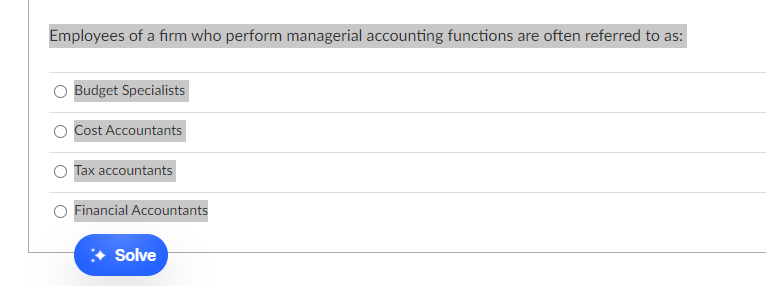
1. **Highlight the Question:**
* Simply highlight the question along with its answer choices.
2. **Click Solve:**
* Once highlighted, click the **Solve** button that appears to get the solution.
{% endtab %}
{% tab title="Text Selection" %}
### How to Use the Text Selection Feature
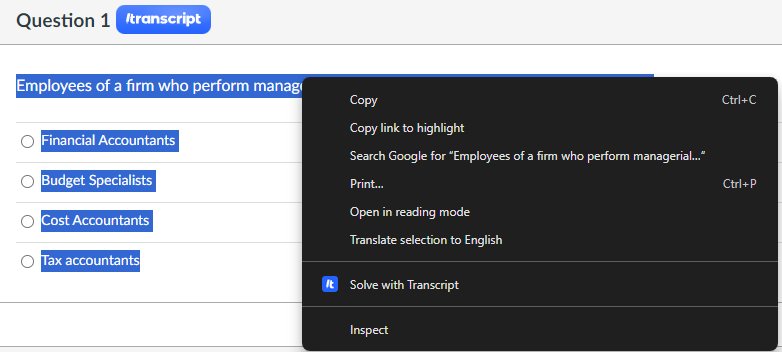
1. **Highlight the Question:**
* Highlight the question along with its answer choices.
2. **Open the Context Menu:**
* Right-click to open the context menu.
3. **Select "Solve with Transcript":**
* In the context menu, select **"Solve with Transcript"** to get the solution.
{% endtab %}
{% endtabs %}